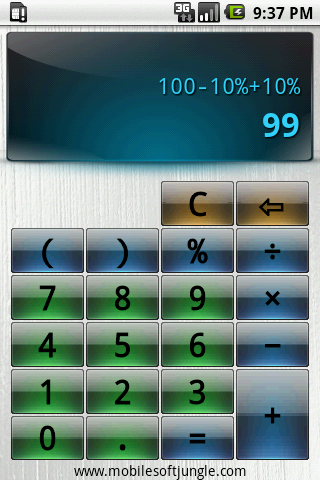
 Easy Calculator is probably the best calculator for everyday use. And it’s free!
Unlike thousands of ordinary office calculators this one lets you easily cope with complicated expressions and always keep an eye on the input data.
Main features:
- Expression calculation
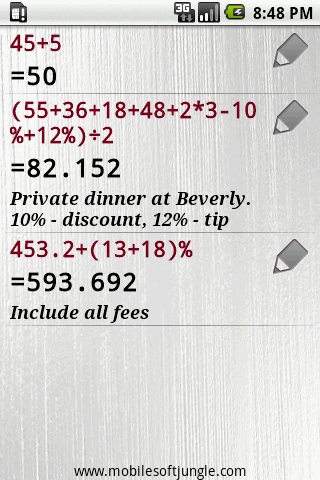
- Calculation history
- Advanced percent calculation (Discounts, Tax, Tip)
- *New*Auto enclose in bracket. Try 10+5)/3
- *New*Add your memory notes to expressions
- And it’s free!
Tips and Tricks:
If you did calculations some time ago, you can always turn to calculation history.
With advanced percent calculation you can easily define the price with discount or extra tax or count tips at a restaurant.
See yourself: for example, to figure out the cost of lunch for two people just enter the following:
12 + 5.80 + 18 + 6 + 10%) / 2
Note that you forgot to open the bracket in the very beginning. Doesn’t matter, Easy Calculator takes care of it!
You see all the prices in the bill and there is no need to input everything again in case you missed something. And finally you can add a memo note to this expression, i.e. ‘John didn’t pay so he will buy me a beer next time :)’
Download here:

How to clear history?
Please update the Easy Calculator for Samsung Note 10 can clear the history ; Thankyou!
Now Samsung Note 10 can use the apps , but can not clear the history !
Please update the version so it will show for the all screen.